

ADVERTISEMENT

AI Assistant
Copy mesh / copy ge...
 
Notifications
Clear all

Copy mesh / copy geometry feature or alternative in Geomagic Design X

3 Posts
2 Users
1 Reactions
3,585 Views
Active Member
Joined: 4 years ago
Posts: 3
Topic starter
Translate
English
Spanish
French
German
Italian
Portuguese
Russian
Chinese
Japanese
Korean
Arabic
Hindi
Dutch
Polish
Turkish
Vietnamese
Thai
Swedish
Danish
Finnish
Norwegian
Czech
Hungarian
Romanian
Greek
Hebrew
Indonesian
Malay
Ukrainian
Bulgarian
Croatian
Slovak
Slovenian
Serbian
Lithuanian
Latvian
Estonian
  [#295]

Hi guys,

Does anyone know, how to copy the same mesh in Geomagic Design X?

I just wanted to trim the mesh from plane 1 and same another model/mesh trim in plane 2. Then move the two two trimmed part close together to remove plane 1 to plane 2 gap. Which to reduce length of the model.
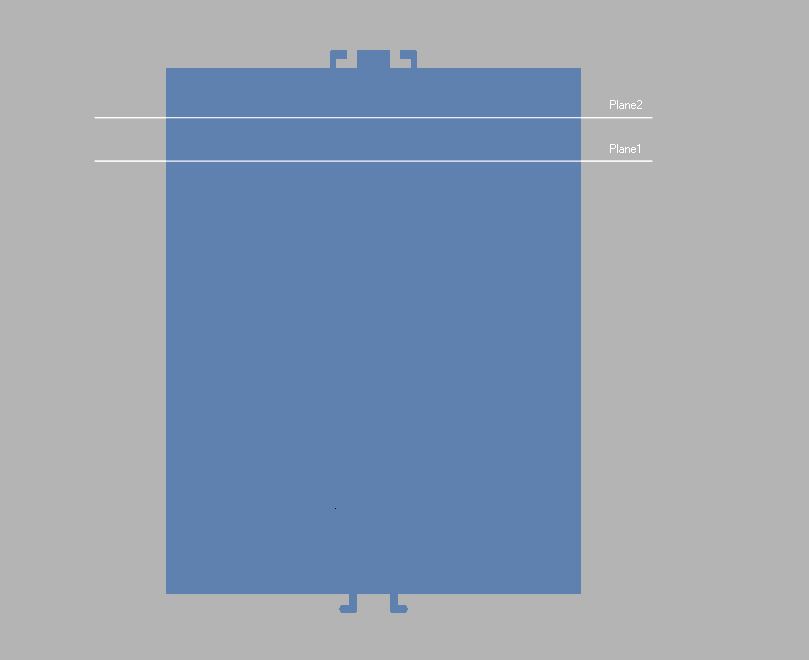
Copy Mesh


ReplyQuote
Great Ruler Moderator
Joined: 5 years ago
Posts: 60
Translate
English
Spanish
French
German
Italian
Portuguese
Russian
Chinese
Japanese
Korean
Arabic
Hindi
Dutch
Polish
Turkish
Vietnamese
Thai
Swedish
Danish
Finnish
Norwegian
Czech
Hungarian
Romanian
Greek
Hebrew
Indonesian
Malay
Ukrainian
Bulgarian
Croatian
Slovak
Slovenian
Serbian
Lithuanian
Latvian
Estonian
 

You can use copy & paste shortcut keys to copy the same mesh model as much as you want. 

Click the model -> Ctrl + C to copy the mesh , and

Ctrl + V to paste the copied mesh,

note that this, copy/paste tool not appear when you right click on the selected mesh


Callum reacted
ReplyQuote
Active Member
Joined: 4 years ago
Posts: 3
Topic starter
Translate
English
Spanish
French
German
Italian
Portuguese
Russian
Chinese
Japanese
Korean
Arabic
Hindi
Dutch
Polish
Turkish
Vietnamese
Thai
Swedish
Danish
Finnish
Norwegian
Czech
Hungarian
Romanian
Greek
Hebrew
Indonesian
Malay
Ukrainian
Bulgarian
Croatian
Slovak
Slovenian
Serbian
Lithuanian
Latvian
Estonian
 
Posted by: @thelonious

You can use copy & paste shortcut keys to copy the same mesh model as much as you want. 

Click the model -> Ctrl + C to copy the mesh , and

Ctrl + V to paste the copied mesh,

note that this, copy/paste tool not appear when you right click on the selected mesh

ohh, usual copy/paste, I missed and thank you


ReplyQuote

Welcome to WiYa3D...!

Login to your account below

Create New Account!

Fill the forms bellow to register

*By registering into our website, you agree to the Terms & Conditions and Privacy Policy.

Retrieve your password

Please enter your username or email address to reset your password.