
ADVERTISEMENT

AI Assistant
Notifications
Clear all

How to save the custom orient view in Creo

2 Posts
2 Users
1 Reactions
2,849 Views
Eminent Member
Joined: 5 years ago
Posts: 12
Topic starter
Translate
English
Spanish
French
German
Italian
Portuguese
Russian
Chinese
Japanese
Korean
Arabic
Hindi
Dutch
Polish
Turkish
Vietnamese
Thai
Swedish
Danish
Finnish
Norwegian
Czech
Hungarian
Romanian
Greek
Hebrew
Indonesian
Malay
Ukrainian
Bulgarian
Croatian
Slovak
Slovenian
Serbian
Lithuanian
Latvian
Estonian
  [#168]

I wanted to define my own custom orient align view for the model. And is it possible to get update the already saved orientation view one of reference plane/direction or point changed.


ReplyQuote
New Member
Joined: 4 years ago
Posts: 2
Translate
English
Spanish
French
German
Italian
Portuguese
Russian
Chinese
Japanese
Korean
Arabic
Hindi
Dutch
Polish
Turkish
Vietnamese
Thai
Swedish
Danish
Finnish
Norwegian
Czech
Hungarian
Romanian
Greek
Hebrew
Indonesian
Malay
Ukrainian
Bulgarian
Croatian
Slovak
Slovenian
Serbian
Lithuanian
Latvian
Estonian
 

In Creo "Reorient" tool allow user to save any custom view and amazing thing is, when you change the any reference to custom orient define, the view also get update.
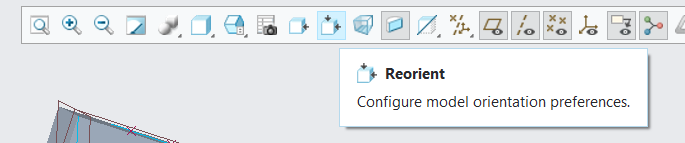
Creo Reorient

Suppose you have the, orientation sketch drawn and based on the orientation already datum plane developed. First select the reference plane that need to be normal to screen then the second orientation.

Give a custom view name and save it
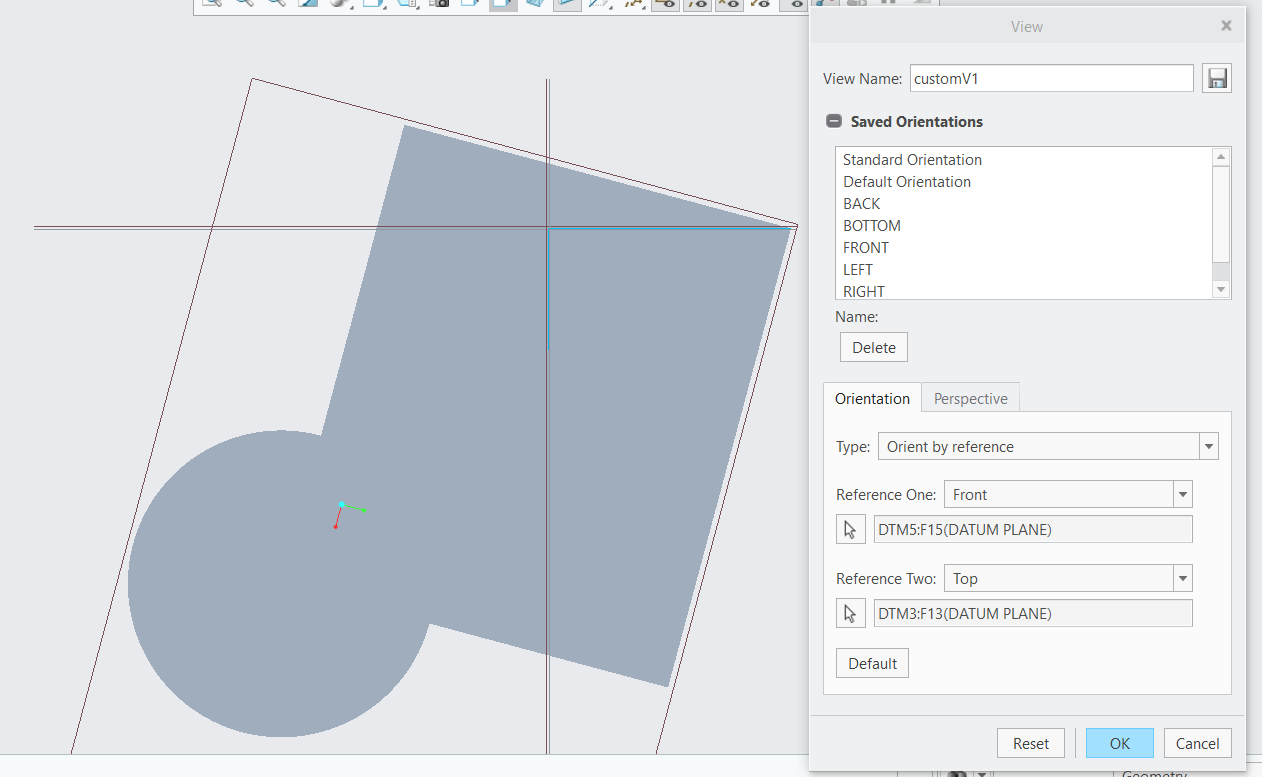
Custom View Save

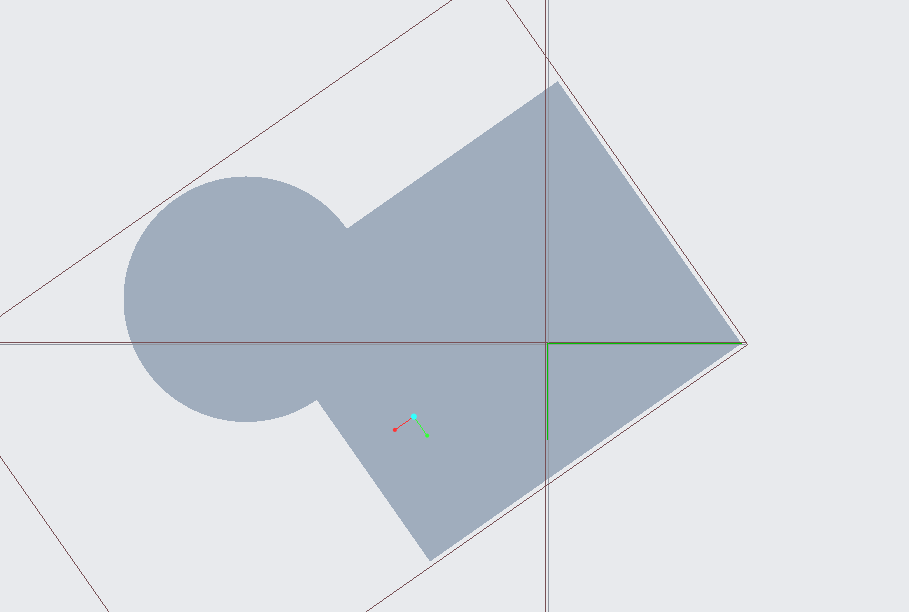
If you later change the sketch orientation that reference to the saved custom view. The view get updated.

After changing sketch you can check going "Saved Orientation"
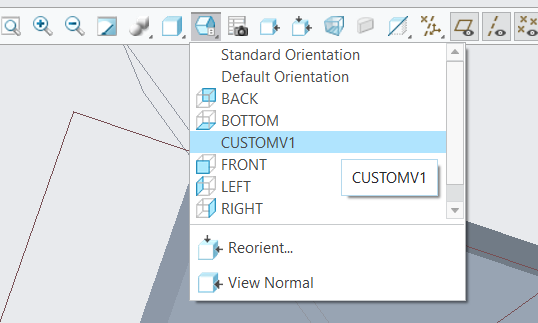
Saved Orientation

The saved CUSTOMV1 get updated.

Updated View


Terry reacted
ReplyQuote

Welcome to WiYa3D...!

Login to your account below

Create New Account!

Fill the forms bellow to register

*By registering into our website, you agree to the Terms & Conditions and Privacy Policy.

Retrieve your password

Please enter your username or email address to reset your password.